
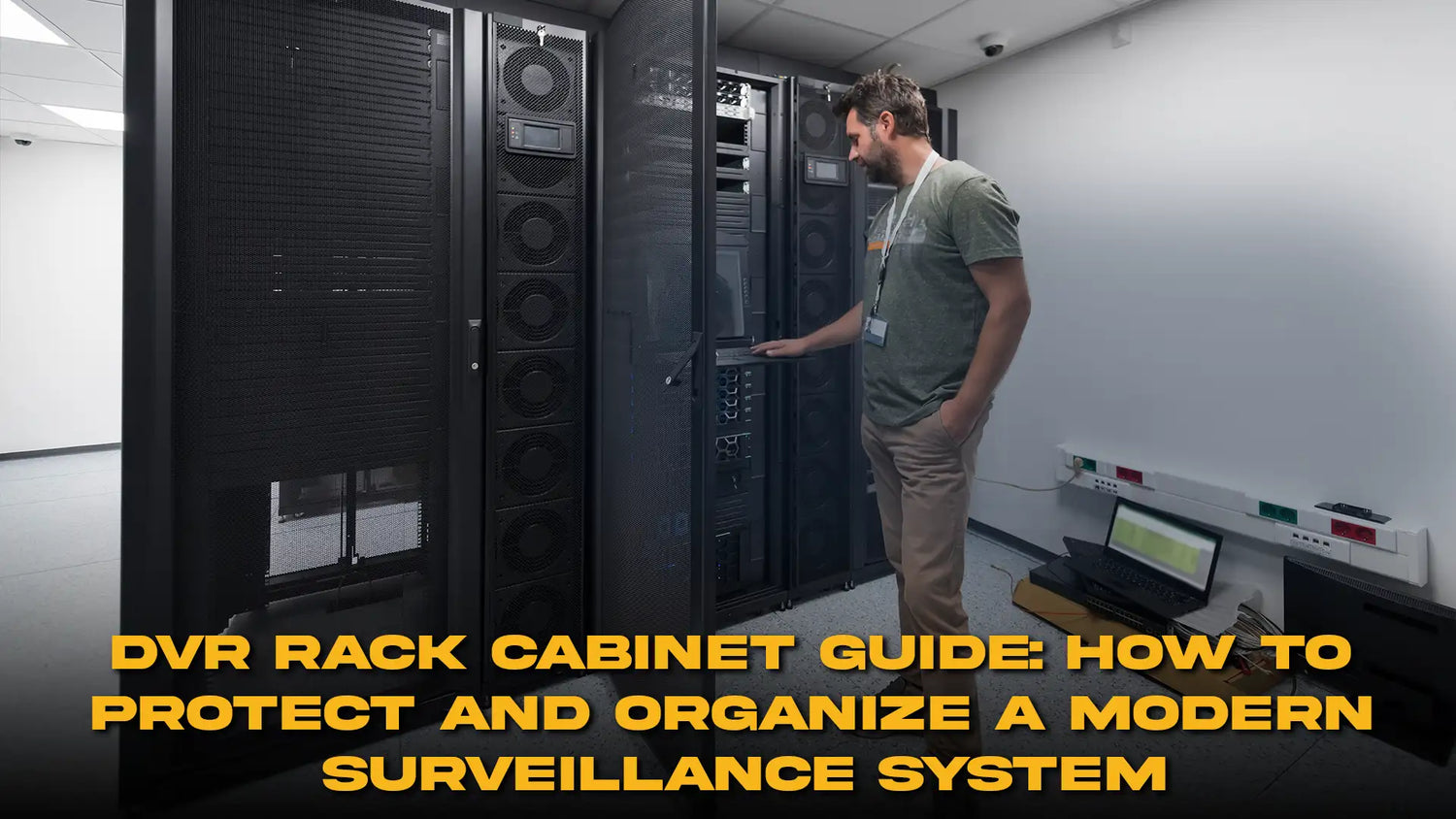
Security camera systems are becoming more networked, more connected, and more valuable to the organizations that depend on them. A DVR rack cabinet is no longer just a metal box for a recorder; it is becoming the physical hub that protects recording hardware, PoE switching, power devices, patching, and network connections.
The wrong enclosure can make a surveillance system difficult to cool, difficult to service, and surprisingly easy to tamper with. The right one will organize equipment, restrict casual access, support airflow, and leave enough room for future camera growth.

Start With the Recorder, Then Count Everything Around It
A DVR cabinet should be sized for the complete surveillance stack, not only the recorder. A typical system may include a DVR or NVR, PoE switch, router, patch panel, power distribution, UPS, fiber converter, and cable slack.
For IP-camera deployments, an NVR rack cabinet may need more network equipment than a traditional analog installation. The recorder itself can be compact while the switch, patching, power, and cable management consume more space than expected.
Before choosing a DVR rack cabinet, list each device, its dimensions, mounting style, power connection, heat output, and cable direction. Add realistic future expansion. A cabinet that is full on day one will become a service problem as soon as another switch or storage device is added.
Rack-Mountable and Shelf-Mounted Equipment Need Different Planning
Not every recorder is designed to bolt directly to 19-inch rails. Some units are desktop form factors and need a fixed shelf. Others include rack ears or optional mounting kits. A network video recorder cabinet should therefore provide both the rack space and usable internal depth required by the actual hardware.
A surveillance equipment rack will work best when heavy devices sit lower and frequently serviced equipment remains accessible. Shelves should be rated for the equipment they carry and should leave enough clearance for cables at the rear.
Physical Security Is Part of Surveillance Security
A camera system that records critical footage should not leave its recorder exposed in an unlocked room. A DVR lock box adds a physical barrier against casual access, accidental disconnection, and opportunistic tampering.
For compact installations, a wall mount DVR enclosure can keep equipment off desks and floors while putting it inside a controlled space. This is useful in retail, offices, small warehouses, schools, residential common areas, and other locations where a full-height rack would be excessive.
A strong security camera equipment cabinet should include a lockable door and a mounting method appropriate for the wall or structure. The lock will not replace building security, but it creates another layer between sensitive recording equipment and unauthorized hands.
Ventilation Cannot Be an Afterthought
Recorders and PoE switches generate continuous heat. A sealed-looking DVR cabinet with poor airflow can trap that heat and raise component temperature over long operating periods. Hard drives are especially sensitive to sustained thermal stress, so ventilation deserves attention from the beginning.
A CCTV rack cabinet may use vented panels, fan openings, active fans, or another thermal strategy depending on equipment load and room conditions. The correct solution will depend on the heat generated inside the enclosure and the temperature of the surrounding space.

Cable Management Will Save Time During Incidents
A DVR rack cabinet often becomes the point where many camera cables converge. Without structure, network patch cords, coax, power leads, monitor cables, and uplinks can turn into a tight knot behind the recorder.
A clean surveillance equipment rack should separate data and power where practical, support cable weight, label camera runs, and leave service loops that do not block doors or fans. Patch panels can be useful when many Ethernet camera runs terminate in one location.
Wall-Mounted Systems Need Special Attention to Weight and Access
A wall mount DVR enclosure saves floor space, but the wall, anchors, and mounting surface must support the loaded cabinet. The calculation should include the enclosure, recorder, switch, UPS, shelves, accessories, and cabling.
A compact security camera equipment cabinet should still allow technicians to reach power connections and network ports without removing half the equipment. Space efficiency is valuable, but extreme compression creates maintenance problems.
NVR Systems Often Need More Network Planning
An NVR rack cabinet may serve as a mini network room for the camera system. PoE switches can carry dozens of camera connections, and uplinks may connect the surveillance network to a wider LAN, firewall, or remote monitoring service.
The network video recorder cabinet should leave room for patching and network expansion, especially when cameras will be added later. Keeping camera switching and recording equipment in a structured enclosure will also make network segmentation and troubleshooting easier to manage.
This is where a STURDX cabinet can become more than storage. A standard rack format allows switches, shelves, cable managers, and power accessories to share one organized frame instead of being scattered across a room.
When a Dedicated Lock Box Is the Better Choice
Not every deployment needs a large rack. A small store with a recorder and one compact switch may benefit from a DVR lock box rather than a full cabinet. The key is making sure the enclosure still provides enough airflow and cable access for the equipment inside.
A CCTV rack cabinet becomes more attractive when the system includes multiple rack-mounted devices, larger switching, patch panels, UPS equipment, or planned expansion. The choice should follow the system architecture, not an assumption that bigger is always better.

A Practical Sizing Method Before Purchase
Begin by writing down the rack units required by rack-mounted devices. Then add shelves for non-rack equipment. Confirm the deepest device, then add rear cable clearance. Check the front clearance required for the door. Include vertical room for airflow when hot devices sit near each other.
Next, review electrical needs. The cabinet should have a safe route for power and a suitable location for power distribution or backup equipment. Check whether the UPS is appropriate for rack mounting or should remain outside the enclosure.
Finally, consider service. If a recorder drive must be replaced, can the technician reach it? If the PoE switch fails, can it slide out? If a camera cable needs tracing, can the label still be read?
The Cabinet Becomes Part of the Security System
A DVR rack cabinet will not improve image quality or add camera coverage, but it will protect the infrastructure that keeps those functions alive. Physical organization, ventilation, controlled access, and structured cabling all support recording reliability.
Sturdx enclosures can provide the steel framework for that protection. The final result will depend on correct sizing, sensible equipment placement, and disciplined cable routing.
When the recorder, switching, power, and cabling are treated as one system, the cabinet stops being an accessory. It becomes part of the security architecture itself, quietly guarding the equipment that guards everything else.
A DVR rack cabinet also needs to remain understandable after the first installation team leaves the site. Those service details is what keeps later maintenance from turning into guesswork when a recorder, switch, or cable must be replaced quickly.


Dejar un comentario
Este sitio está protegido por hCaptcha y se aplican la Política de privacidad de hCaptcha y los Términos del servicio.